A Claude Code skill for iPhone Duo
Panewise teaches Claude Code what it takes to make an iOS app feel at home on iPhone Duo, from the one fix that makes it respond to taps to two-pane layouts and launch-ready mockups.
One-time purchase · Expo, React Native, SwiftUI, UIKit and Flutter
The proof
Drag to compare. On the left, what iOS shows for an app that hasn’t adopted the Duo. On the right, the same app after the changes in this playbook.
BeforeAfter
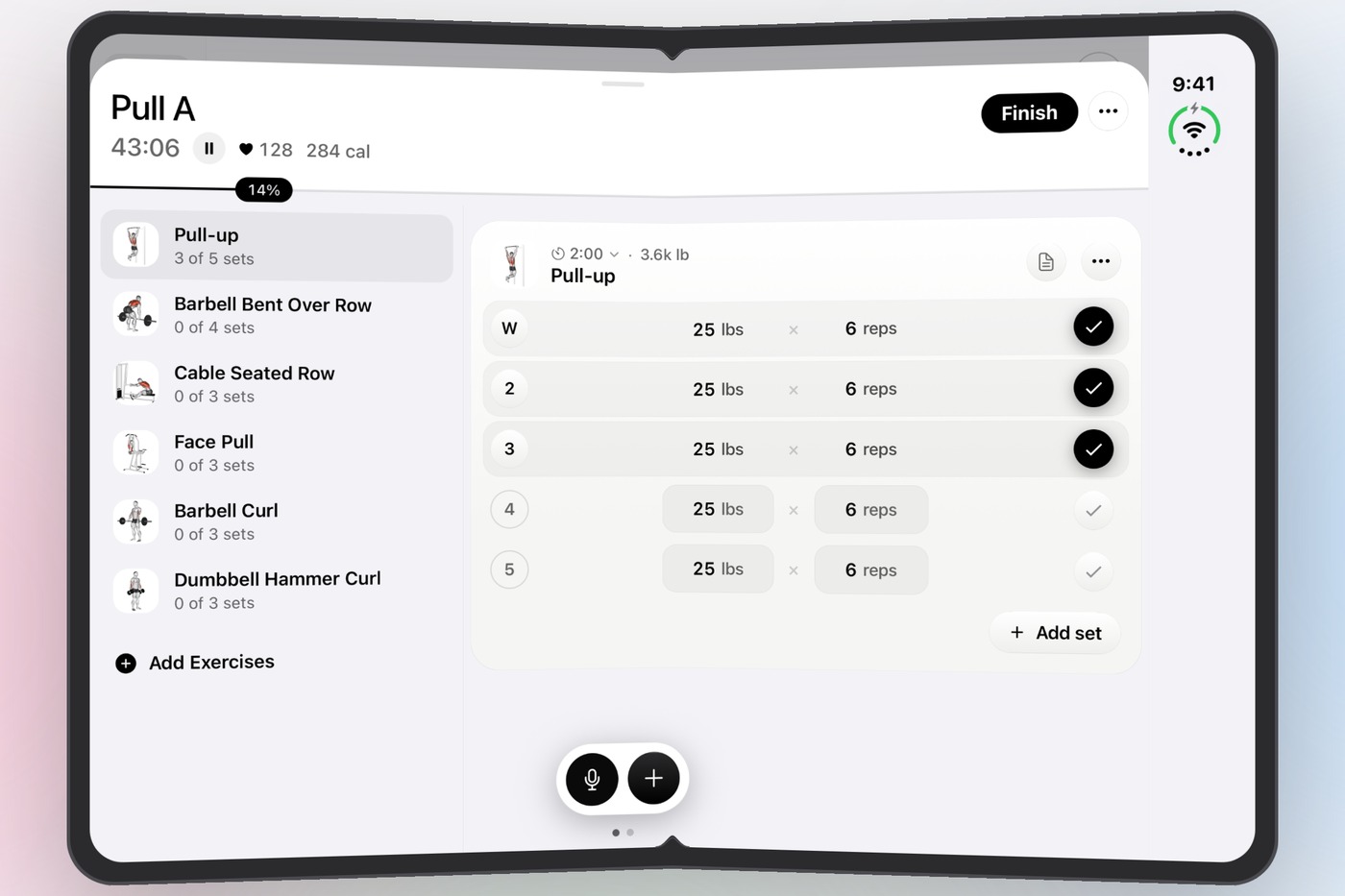
SPLYT, a workout app in the App Store, shown on the iPhone Duo simulator. The left side recreates compatibility mode from the app’s own iPhone screenshot, laid out exactly as the simulator shows an app that hasn’t adopted the Duo. The right side is an unedited capture of the shipping build.
Why it matters
None of these show up in a code review. All of them show up the moment someone unfolds the phone.
Without the UIKit scene life cycle, the app runs in legacy window mode. On the Duo, our own app’s UI stopped receiving touches entirely, while Apple’s sheets on top still worked.
Build with an SDK older than Xcode 27.1’s and iOS shows your app as a phone-width column, however good your layouts are.
Unfolded, the status bar moves to a strip down the side. Cards, pagers and charts sized from the window slide right under it.
A phone layout stretched across a screen wider than 600 points wastes the reason people bought the device, and it’s the first thing they notice.
How it works
Install the skill, open your project in Claude Code, and ask. Claude follows the playbook in order, shows you each change, and leaves every other device exactly as it was.
A read-only scan finds the blockers and the layout work: missing scene manifest, toolchain, window-width reads that go stale on a fold, iPad-only gates the Duo never passes, and modals that ignore the side strip.
Adopts the scene life cycle with a drop-in SceneDelegate that keeps your deep links working, and moves your builds to the right Xcode, including your cloud builds.
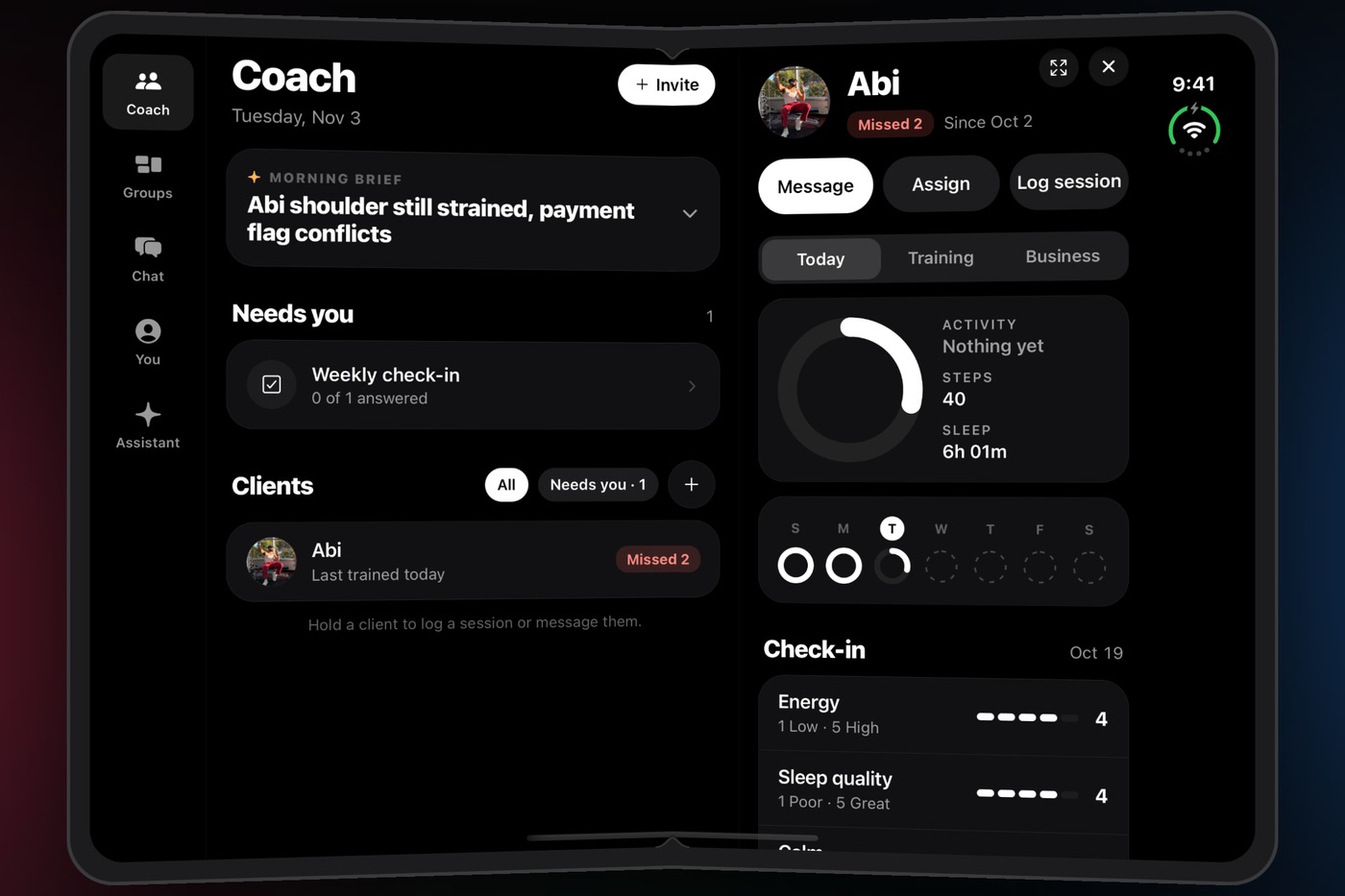
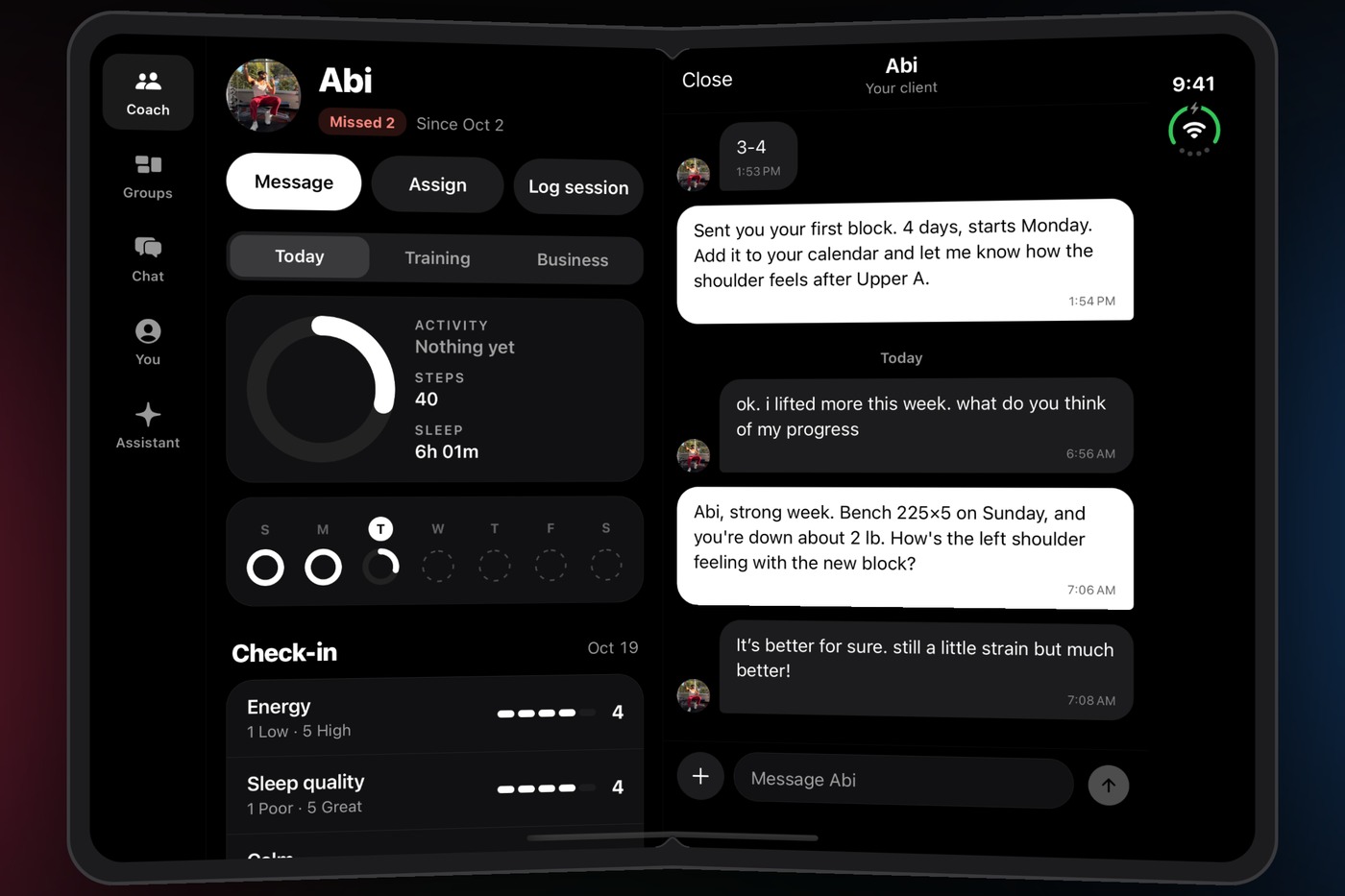
Two panes where they earn it: list and detail, plan and current step, roster and client. A sidebar in place of the tab bar. A selection that survives every fold.
Verifies on the iPhone Duo simulator, folded and unfolded, then turns your screenshots into clean light or dark mockups for the App Store and your launch posts.
› make my app ready for iPhone Duo
Made with Panewise
Every mockup on this page came out of the skill’s own renderer, from plain simulator screenshots.


What’s inside
Field-tested on Expo and React Native in a shipping App Store app. The SwiftUI, UIKit and Flutter paths follow each framework’s documented APIs, and the skill tells you where it’s less certain instead of guessing.
Written for Claude Code. It’s plain Markdown and shell, so you can also read it yourself or point another coding agent at it.
Pricing
Secure checkout by Stripe · Instant download · All sales final
A folder of instructions and scripts that Claude Code loads when a task needs it. Unzip it into ~/.claude/skills/, open your project, and ask Claude to make your app ready for iPhone Duo.
No. The playbook’s first rule is that every Duo layout is gated on an unfolded Duo’s width, and its last step checks a regular iPhone and an iPad to confirm nothing outside the Duo moved.
Once. The scene life cycle and the newer Xcode are native changes. After that build is live, layout changes in Expo and React Native can usually ship over the air.
No. Everything is verified on the iPhone Duo simulator that ships with Xcode 27.1. The skill walks you through setting it up next to your current Xcode.
Panewise is an instant digital download, so all sales are final and we don’t offer refunds. If something isn’t working, reply to your receipt email and we’ll help you get it running.
One purchase covers you and your team, on as many apps as you like. Please don’t repost or resell the files.
No. Panewise is an independent product. It isn’t affiliated with, sponsored by, or endorsed by Apple or Anthropic.